Service disruptions
Expired certificates turn routine rotations into authentication failures, broken automations, and avoidable outages.
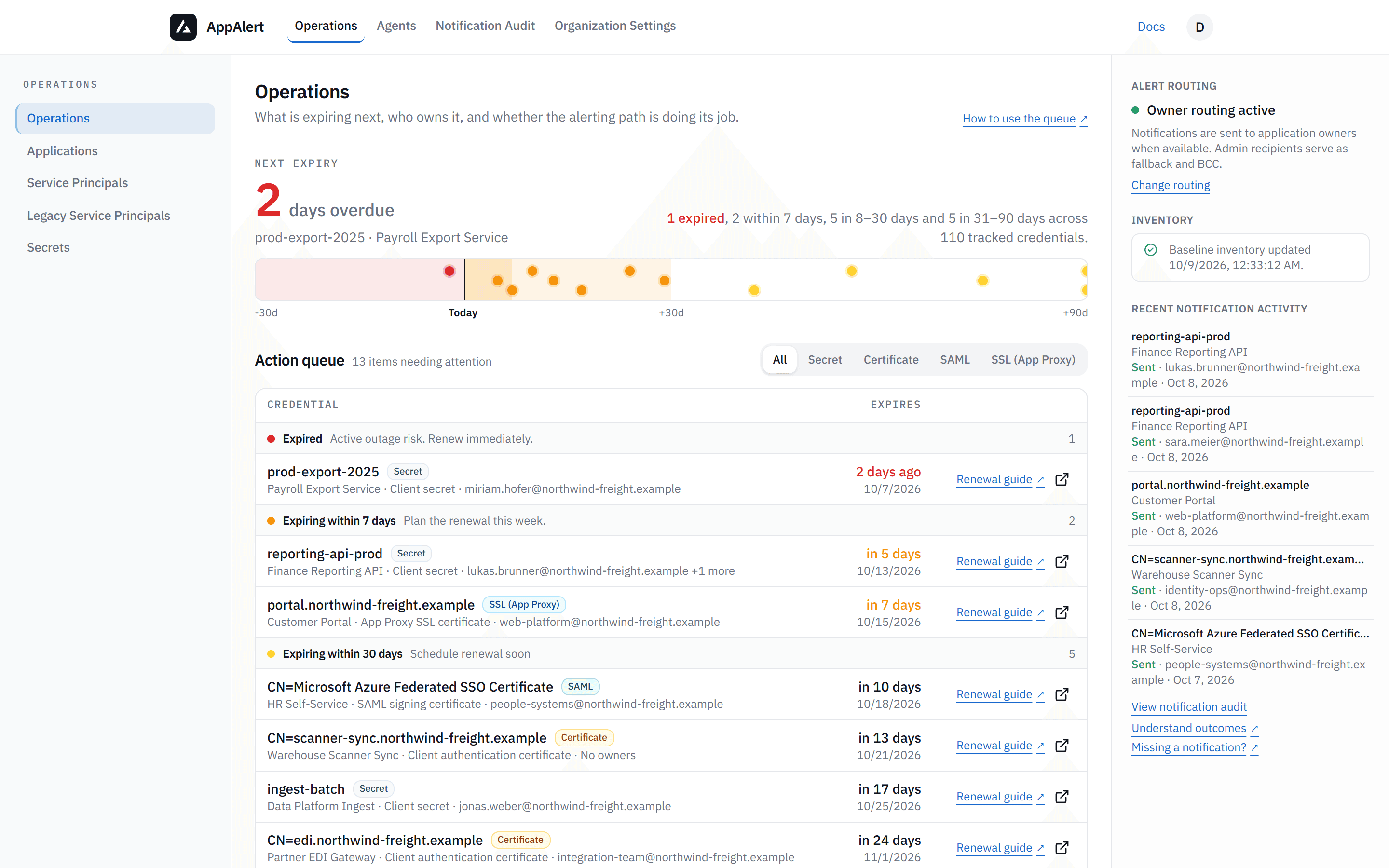
AppAlert gives your team one queue for expiring application secrets, certificates, SAML certificates, and Application Proxy SSL certificates. It warns admins by email and records each send attempt.
Sign in with Microsoft → an admin approves read-only access → the first inventory sync starts
Exports and scripts can list expiry dates. They rarely show the deadline, owner context, and notification history together.
Expired certificates turn routine rotations into authentication failures, broken automations, and avoidable outages.
Manual fire drills create rushed renewals, weak documentation, and unclear ownership when the deadline is already here.
Identity teams lose hours stitching together scripts, inbox rules, and spreadsheets just to maintain basic visibility.
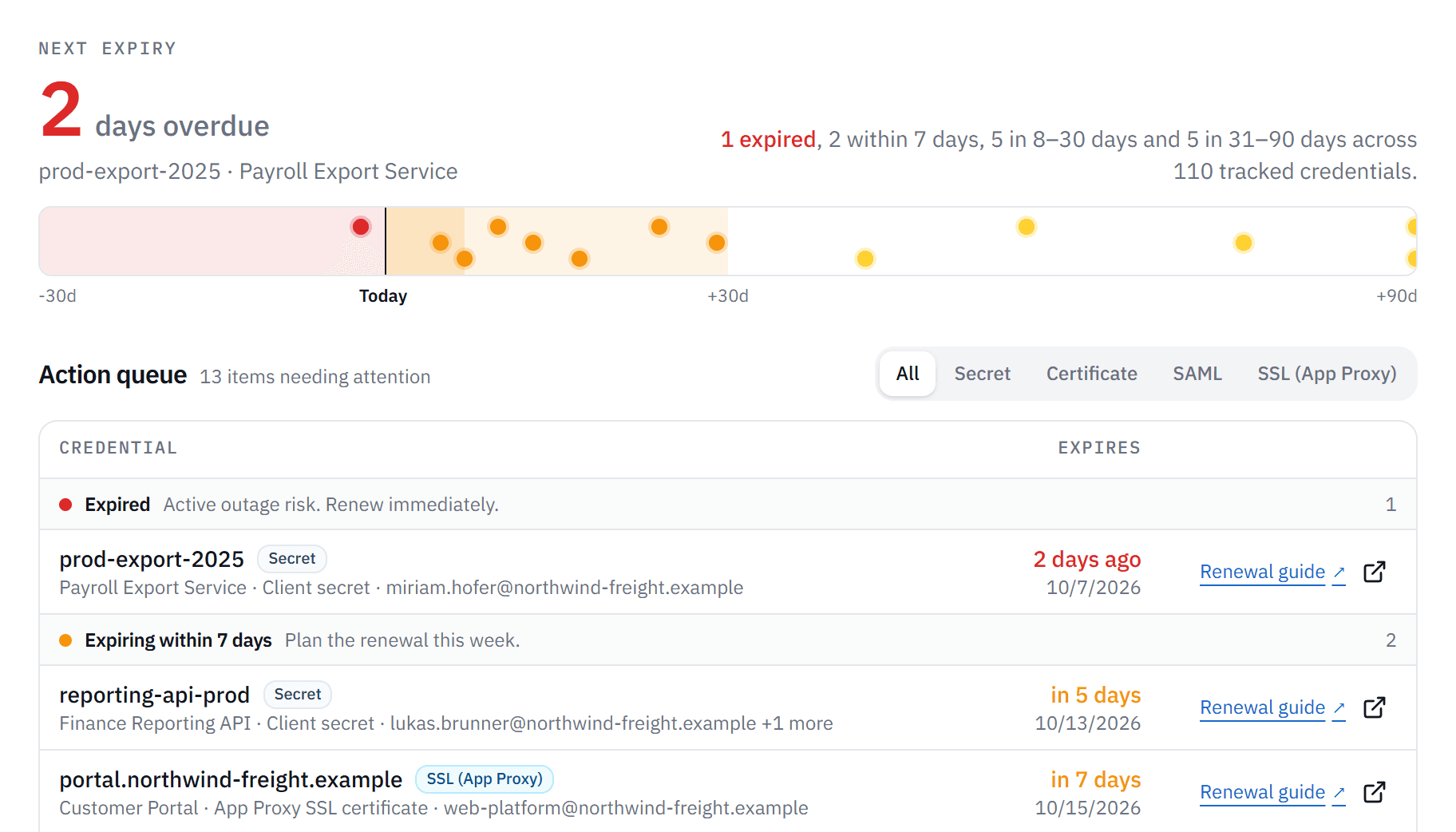
AppAlert keeps the deadline, the owner, and the delivery record beside each credential, so renewal work starts from one screen instead of an export, a spreadsheet, and an inbox.
Priority
Secrets and certificates of all four types are ordered by expiry in one organization-scoped queue, so the next deadline does not hide in a full inventory export.
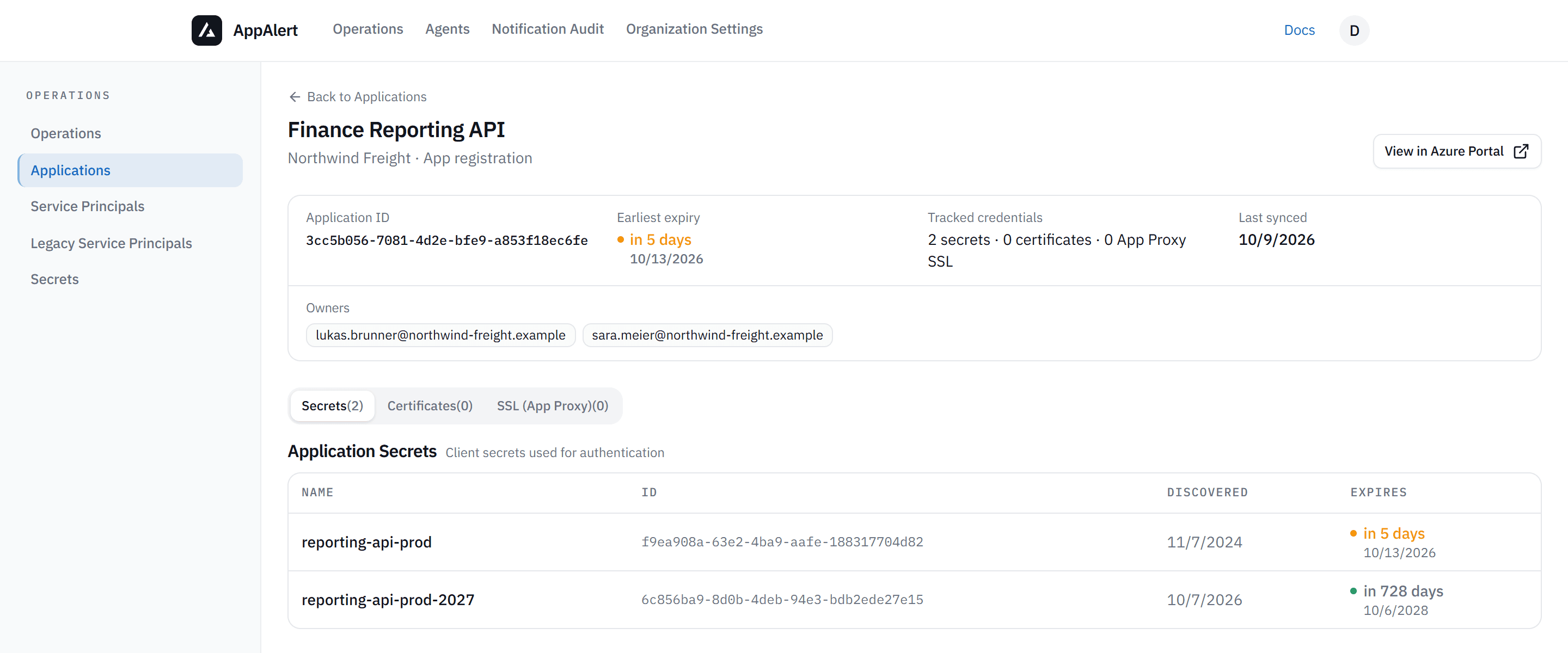
Ownership
Application owners stay beside the credential instead of in a separate spreadsheet. Organization Settings sets admin recipients, alert thresholds, and optional owner routing.
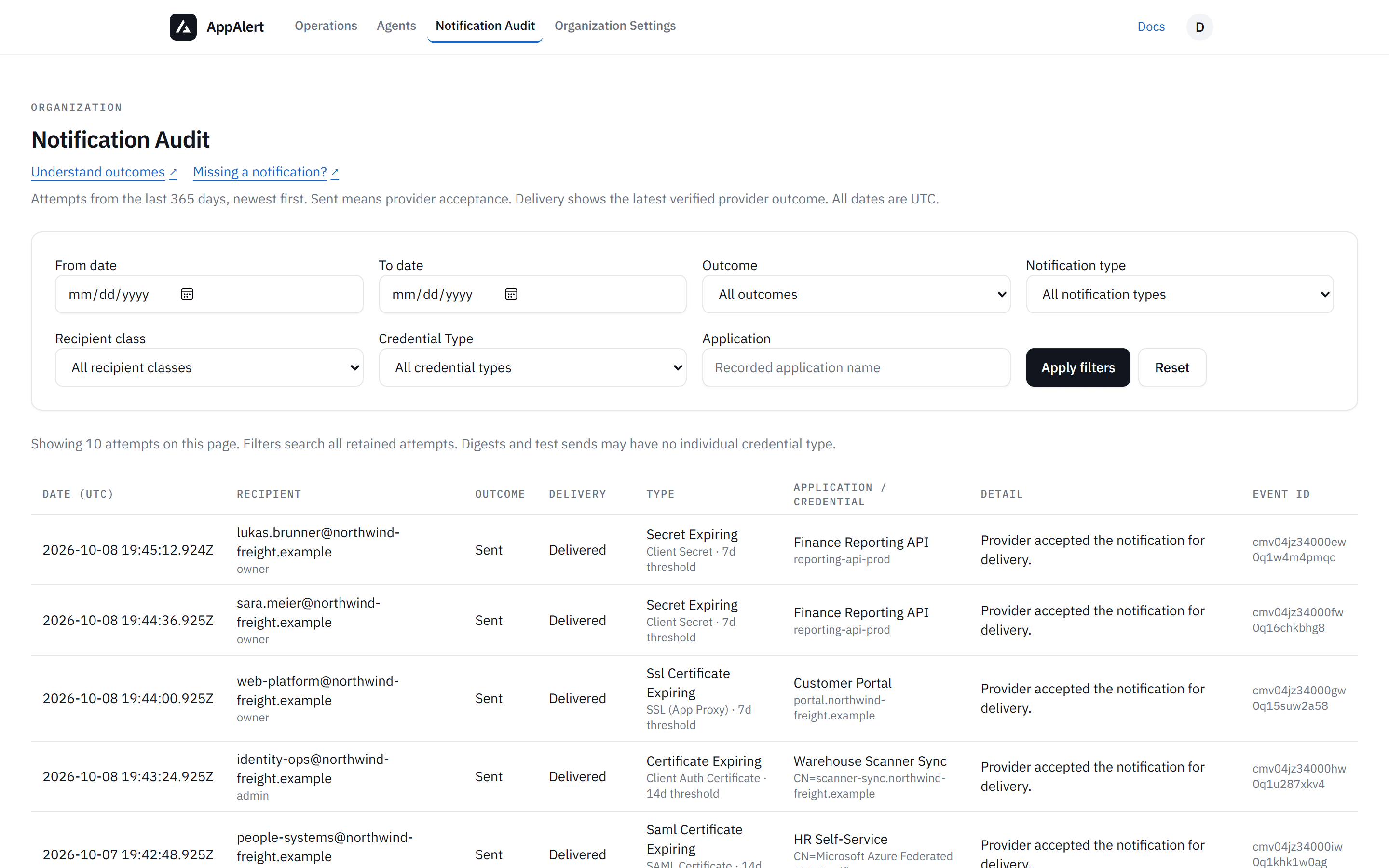
Delivery
Admins get email before expiry. The notification log records sent, skipped, and failed deliveries for each alert run.
Want the detail? Review feature coverage.
See which credentials expire next.
Connect read-onlyApplication.Read.All, Directory.Read.All, AgentIdentity.Read.All, AgentIdentityBlueprint.Read.All, AgentIdentityBlueprintPrincipal.Read.All, plus User.Read for sign-in. No write permissions: AppAlert cannot create, rotate, or delete credentials.Start with admin recipients. Add owner routing when your team is ready to use it.
Sign in with Microsoft and have an Entra admin approve access. AppAlert then syncs your applications and their credential expiry dates.
Choose admin recipients and thresholds first, then expand routing only when your operating model is ready for it.
Renew in expiry order and follow the renewal guide for each credential type.
Billing is not available yet. We will give you 30 days' notice before anything changes.
Connect one Microsoft Entra organization and review the expiry queue with your own credential metadata.